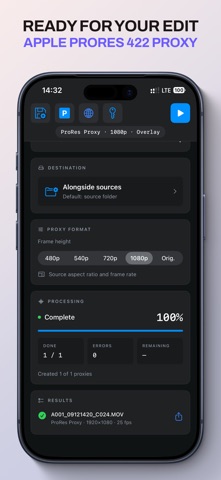
ProRes 422 Proxy.
Save proxies as QuickTime MOV files. Choose 480p, 540p, 720p or 1080p frame height, or keep the source dimensions. Aspect ratio and frame timing are preserved.

Get your footage ready for the edit.
Create ProRes Proxy files on your iPhone or iPad, wherever you work. Choose a source folder, set your options and start preparing footage for your editing workflow.
Save proxies as QuickTime MOV files. Choose 480p, 540p, 720p or 1080p frame height, or keep the source dimensions. Aspect ratio and frame timing are preserved.
Each proxy keeps the source filename before its extension. C001.mp4 becomes C001.mov, ready to match by filename in your editing application.
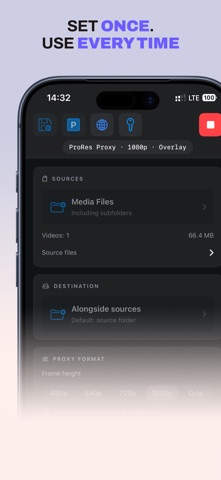
Choose any writable folder available through Files, including supported external storage. By default, a separate output folder keeps proxies alongside untouched originals.
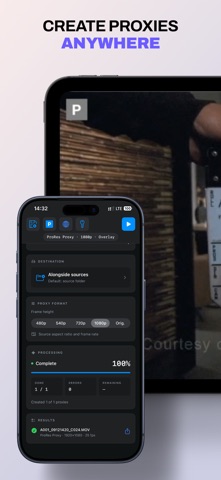
Add a small P badge in the top-left corner to identify proxy footage at a glance, or turn it off for a clean image.
Save your preferred frame height and overlay choice as defaults, so the next job starts with your settings ready.
| Output | ProRes 422 Proxy in a QuickTime MOV container. |
|---|---|
| Frame height | 480p, 540p, 720p, 1080p or source dimensions. |
| Relinking | Match by filename without requiring the same extension when attaching proxies or relinking in your editor. |
| Compatibility | iPhone and iPad with iOS 17 or iPadOS 17 and later. Source format support depends on your device. Your editor must support ProRes Proxy. |
| Interface languages | English, German, French, Simplified Chinese, Korean, Spanish, Italian, Serbian, Russian and Ukrainian. |